How do I create a Folder for my Team Portal Documents?
Introduction
This guide provides step-by-step instructions on how to add a Folder for Team documents on the 1Rink platform. By following these steps, users can easily organize and manage their team documents within the specified group.
Walkthrough
Step by Step
1. Navigate to your Team Portal
2. Click here on the Settings Wheel

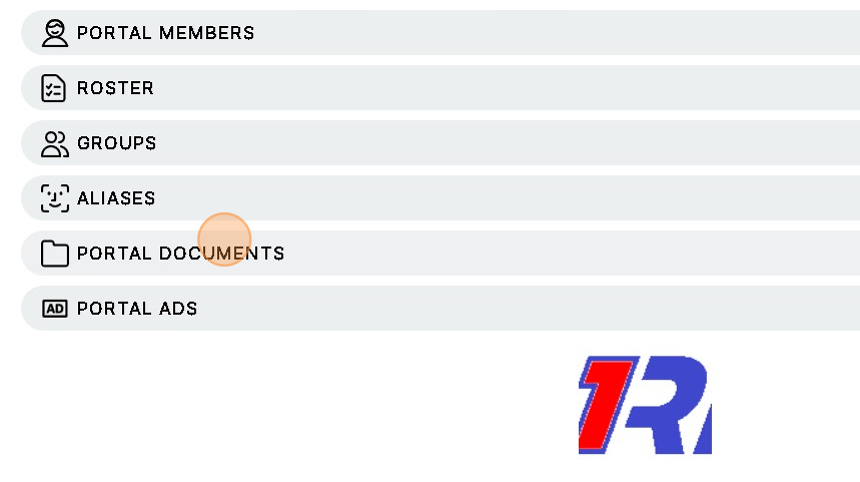
3. Click here on Portal Documents
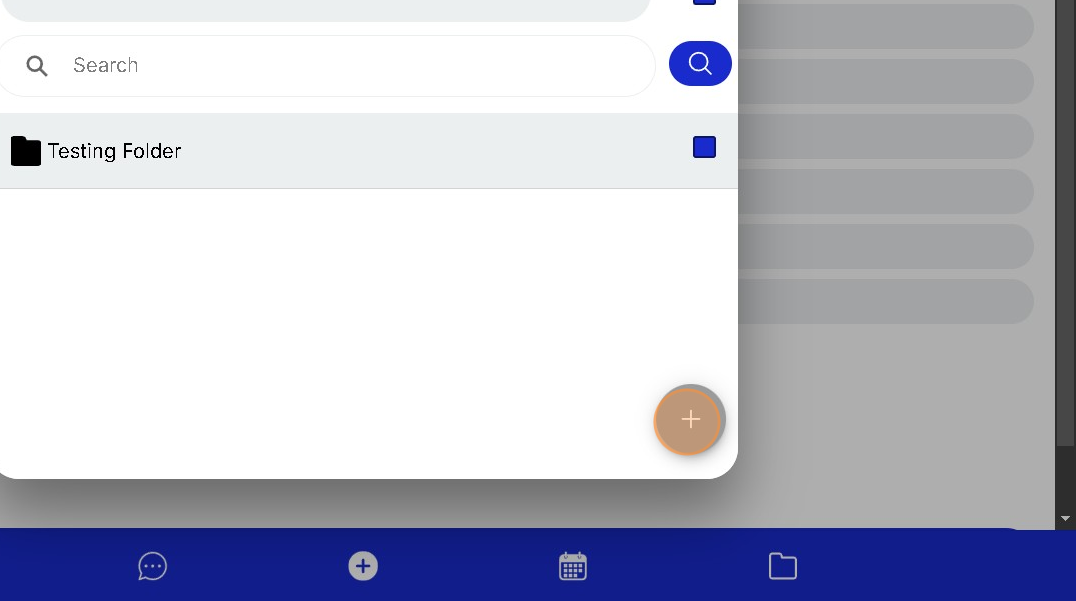
4. Click "+" to Add Files or Create a Folder to Add Files to.
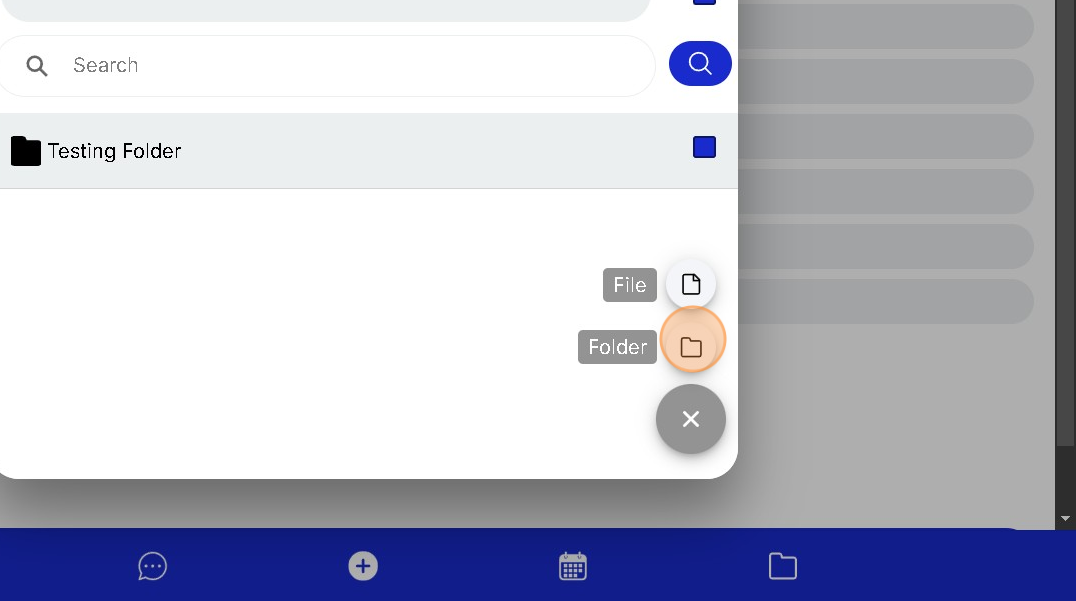
5. Click on Folder to Create a Folder for your Team Documents
6. Click the "Name" field to Name your new Folder
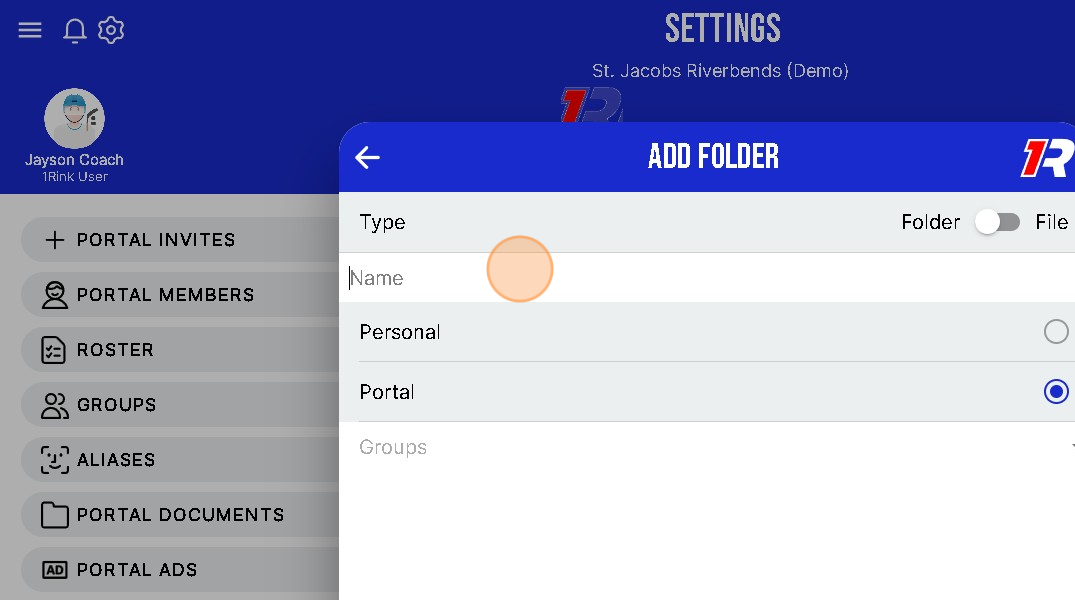
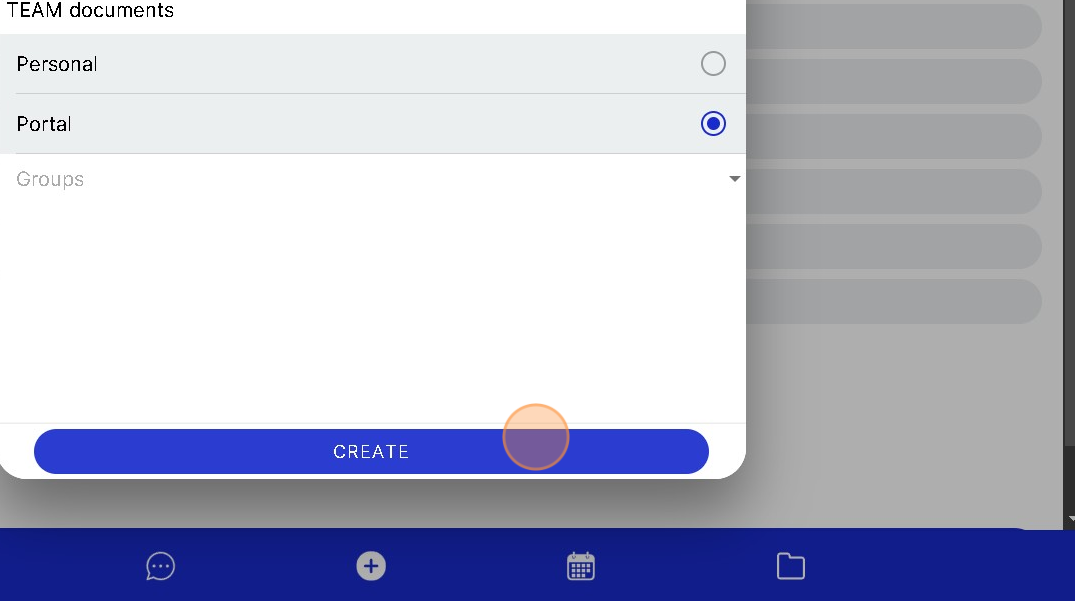
7. You can select whether the Folder will be "Personal" or for the Entire "Portal"
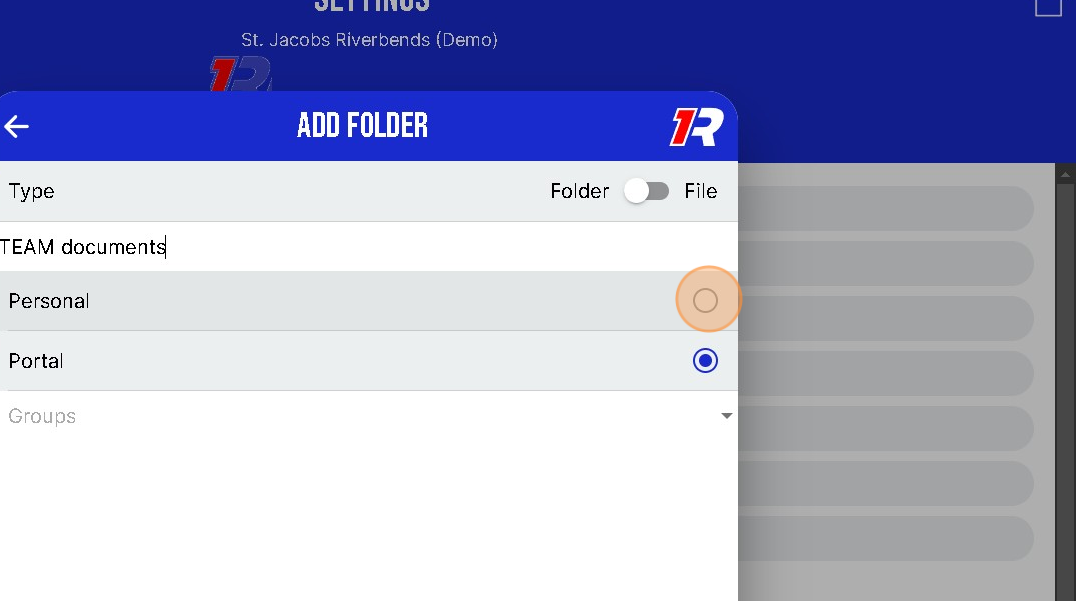
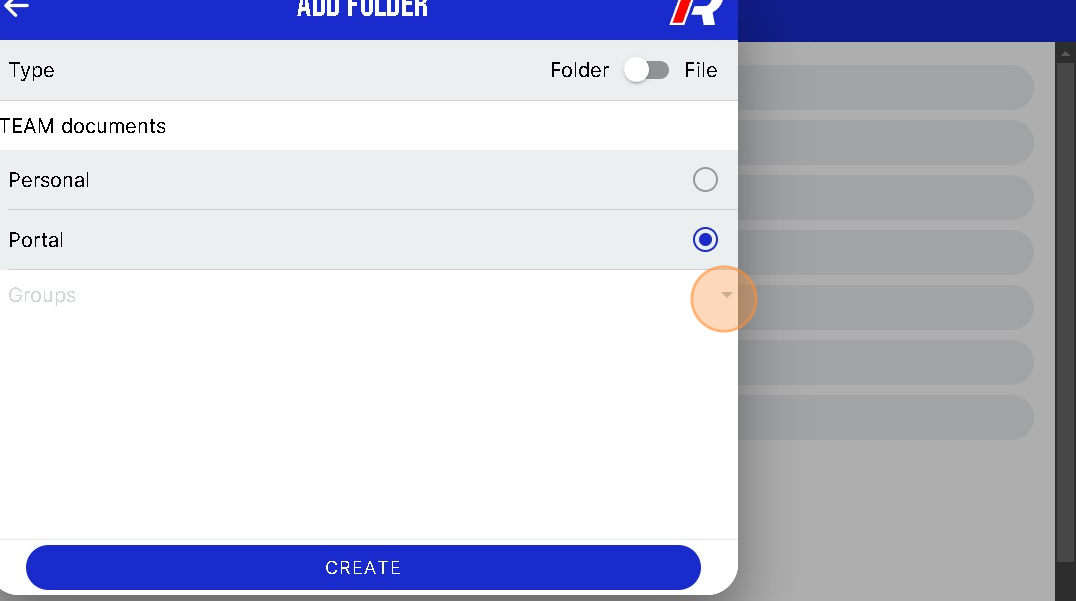
8. Click you can also only allow a specific Group in your Portal to have access to the new Folder.
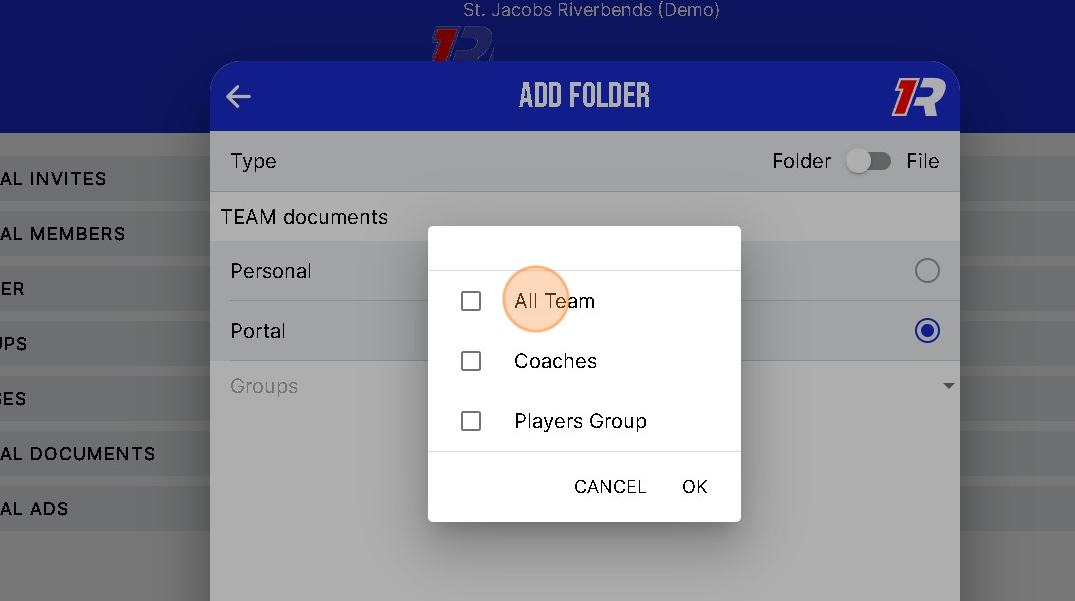
9. Click and Select which Group(s) will have Access to the documents in your New Folder.
10. When you have completed all selections you can Click "CREATE" to make the New Folder